The coding projects that empowered creators in 2025

Code Clubs are unique learning communities where young people get hands-on experience with a wide range of tools, from drag-and-drop Scratch blocks to text-based Python, from micro:bit to emerging AI tools.

It’s no surprise that in 2025 the biggest hits were the projects that build key skills and give creators a solid foundation to grow from, all while sparking curiosity, boosting confidence, and supporting steady progression — let’s explore the projects you enjoyed most last year!

A young girl and an adult man smiling and working together at a laptop, with the text 'Make your ideas' displayed above them.

Scratch: Building foundations through play

For many creators joining Code Club, the journey begins with Scratch. Here, they learn the building blocks of programming. 

The top three Scratch projects that inspired young coders in 2025 were

  1. Boat race – Steer your boat to the island and avoid the obstacles
  2. Space talk – Code a space scene with characters that emote
  3. Catch the bus – Create an animation with sprites that run or fly to catch a bus

These projects are quick to start, easy to personalise, and full of opportunities for added challenges. Creators build skills in sequencing events, switching costumes to simulate movement, and synchronising actions to tell simple stories — all core storytelling and animation techniques in Scratch.

A child in a green sweater interacts with a large screen displaying a coding interface, likely for a game or animation project. Various coding blocks and character animations can be seen on the screen.

Python: Turning ideas into real-world programs

As young people grow in confidence, many are keen to try text-based coding to express more complex ideas.

The top three Python projects that inspired young coders in 2025 were

  1. Astro Pi: Mission Zero – Have your code run onboard the ISS
  2. Hello world – Write an interactive project that uses emojis
  3. About me – Write a program telling people all about you

Each of these projects builds confidence by showing creators that they can write code, that their work can have real-world impact and simple scripts can express personal creativity.

A young boy using a computer mouse while focused on the screen, with an adult man seated beside him, in a room with other people working on computers.

BBC micro:bit: Making code tangible

Nothing builds confidence like making something physical work, like buzzers, lights or sensors. We all love to see that “aha!” moment in a Code Club session!

The top three micro:bit projects that inspired young coders in 2025 were

  1. Music player – Create a mood-matching tune picker
  2. Sound level meter –Track and log sound levels, with an alarm for high noise!
  3. Fortune teller – Use your micro:bit to read the future!

These projects are valuable because they combine instant physical feedback, real-world relevance, and opportunities for tinkering and customisation.
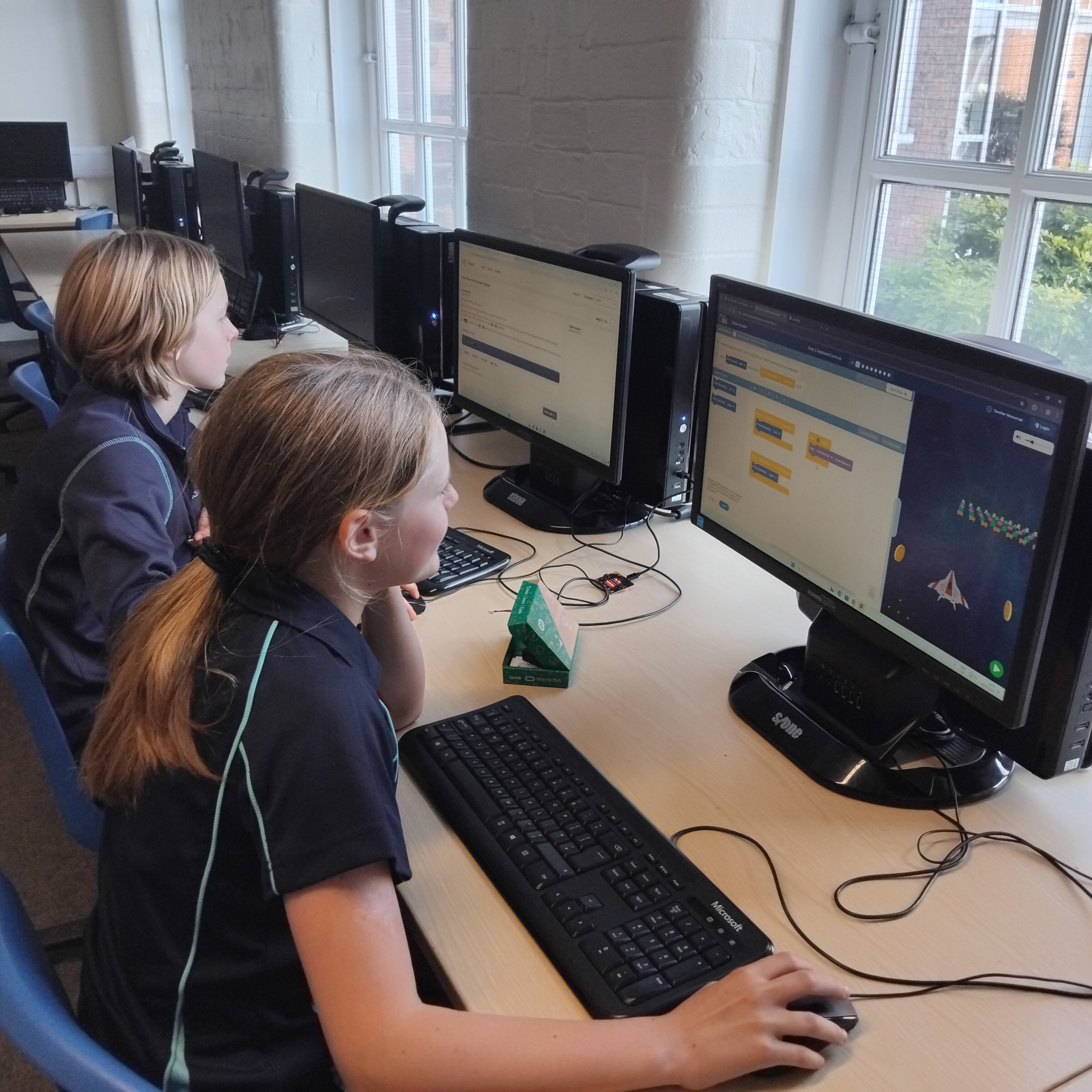
Two children sitting at computer desks, engaged in programming or gaming activities on their screens in a classroom setting.

AI projects: Empowering creators to shape the future

In 2025, many Code Club members became curious about artificial intelligence (AI). By introducing AI safely and accessibly, we help young people see themselves not as consumers of technology, but as creators who can shape how modern tools work.

The top three AI projects that inspired young coders in 2025 were

  1. Chomp the cheese – Make a mouth-powered, cheese-chomping game. Silliness for everyone!
  2. Doodle detector – Train a machine learning model to recognise your drawing
  3. Run an AI image generator on a Raspberry PiAn introduction to the world of AI image generation

These projects are powerful because they combine playful creativity and hands-on experimentation.
Two girls holding large green signs that read 'Be Cool' and 'code club', smiling at the camera in a creative workspace.

Code Club as a launchpad

From Scratch animations to Python adventures, from micro:bit inventions to AI explorations, 2025’s most popular projects show us that young people are keen to create, experiment, and express themselves.

As we look ahead to 2026, Code Club remains a launchpad for confident creators… and the best is yet to come!

Explore the rest of our projects and help creators spark their next big idea at Code Club.

Game on! Bring sport into your Code Club

Sports have a way of bringing people together — whether you’re cheering from the sidelines, playing with friends, or sharing stories about your favourite team. That same sense of excitement and teamwork can make coding feel even more engaging for young learners. That’s why our learning team have created four new Scratch projects inspired by sports from around the world.

In these projects creators can enjoy cricket, kabaddi, and South Africa’s traditional game of jukskei, or design custom kits for any sport. The projects invite young coders to explore global games while building their programming skills. Each activity blends creativity, culture, and fun, giving learners the chance to code and play in meaningful new ways.

So, get ready to bring some sporting energy into your Code Club. Game on!

Exploring the new projects

Project one: Cricket

In this cricket game, you’ll programme the bowler to send the ball towards a randomly chosen stump, shrinking it as it travels to create a sense of depth and realism. The game will call out where the ball is heading, giving players just enough time to move their bat and try to score runs.

What creators will learn

Creators will use broadcast messages to coordinate bowling, batting, scoring, and wickets. They’ll animate the ball’s movement with loops, conditionally update variables to track balls, wickets, and scores, and trigger different outcomes depending on whether the bat connects. Complete the extra challenge to make the bails leap from the stumps for a dramatic wicket!

An illustration for a cricket-themed project featuring a young girl with curly hair smiling and pointing, and a male player in cricket attire holding a bat. The background includes colorful elements associated with the sport.

Project two: Kabaddi

Create a fast-paced tag game inspired by kabaddi that originated in India, where you must cross the line, tag opponents, and make it back safely, all while keeping your breathing going by tapping the space bar! Complete the extra challenge to make the opponents behave more unpredictably for even more excitement.

What creators will learn 

Players will animate movement using arrow keys, track lives and tags with variables, and use broadcast messages to coordinate opponents, wins, and losses. Opponents are created as clones and creators use loops and conditional logic to detect contact, manage the kabaddi countdown timer, and trigger different outcomes depending on whether the player tags an opponent, runs out of time, or gets surrounded. 

Illustration of children playing kabaddi, featuring characters in vibrant sports attire, engaged in a dynamic running and tagging scene. The background is a cheerful pink with elements indicating playful competition.

Project three: Jukskei

Jukskei is a traditional South African throwing game where players try to knock over a wooden peg by throwing wooden pins (skeis) at it. It takes skill, aim, and timing.

What creators will learn

Creators will build animations triggered by broadcast messages and controlled with key presses. They’ll use condition-controlled loops to program sprite movement and sound effects, and update variables when conditions are met to keep track of player scores.

Illustration of a smiling person holding a wooden pin for jukskei, with targets in the background.

Project four: Kit chooser

Many young people love showing support for their favourite teams, and designing custom kits gives them a fun, creative way to express that passion through code.

What creators will learn

Using Scratch, young people will create their own kit chooser where they can design custom sports kits, change colours with their own creative flair, and even add a toggle button to switch between styles.

A graphic showcasing a sports kit designer with two purple jerseys displayed, one highlighted with an arrow pointing towards its back. A color palette on the right offers various options for customization.

Three top tips for mentors

1. Bring cultural connections into the session
Ask creators if they’ve played or watched the featured sports, or if these games are popular in their communities. If they’ve not heard of some of these sports, why not show them some videos?

2. Celebrate different ways to play and participate
Many creators will relate to these sports in different ways: some may play them, others may follow teams, and some might enjoy the social or creative parts. Encourage them to personalise their game with their own rules, team colours, or sounds to reflect the way they engage with sport.

3. Support experimentation and iteration
Remind creators that sports and coding both reward practice. If something doesn’t work the first time (a ball overshoots, an opponent behaves oddly, or a variable doesn’t update), that’s part of the process. Guide them to debug step-by-step and celebrate each improvement as a skill gained.

Ready, set, code! Try these sport-themed projects in your Code Club and bring a burst of energy, culture, and creativity to your next session.

Get ready to code: This is our Code Club!

We’re kicking off a new season of coding fun with three new ‘This is our Code Club’ projects for registered Code Clubs that are all about creativity and storytelling. Get ready to bring your club’s story to life through code!

Two young girls engaged in a coding activity, smiling and collaborating while working on laptops, with a colorful 'This is our Code Club' graphic in the background.

These three new exclusive projects are designed to help creators bring their Code Club’s story to life. The best part? When you share your finished projects with us, you’ll get a special sticker pack, including brand new glitter stickers! You have until Friday, 24 October to share your projects with us.

For registered Code Clubs, full details can be found in your inbox. Search for “This is our Code Club”. Not a Code Club? Register today to unlock access to these exclusive projects!

Let’s explore the projects and how you can use them in your Code Club.

Our flatgame | Scratch

Our flatgame is a one-of-a-kind project that mixes video games with poetry! These games are simple — creators can quickly make a full game and focus on their ideas instead of complicated game mechanics.

Young people start by creating their own physical assets — sketches, drawings, or even cut-outs of things they love about their Code Club. Next, they’ll use Scratch to build a simple scrolling game where a player moves around their amazing creations. It’s a fantastic way to turn your ideas and artwork into a playable game.

An illustration showing hands pointing at a digital tablet displaying a green circular shape, surrounded by colorful craft materials and the text 'This is our Code Club — Our flatgame'.

Tips to get started 

  • Creators can work together and share photos. One person could focus on the text and storytelling while another handles the visuals.
  • Break the project into multiple sessions. The first session could be all about discovery and idea generation, including writing stories, drawing, and taking photos. The second session would then be for building the game in Scratch.
  • You could take the photos and upload them as new sprites in a starter project for each group. Creators can then remix the project, duplicate the sprite with all the pictures, and choose the ones they want to use.

What creators will learn

This project is about creativity and self-expression. Creators will learn the workflow of video game design and asset creation, and get to use Scratch to add movement, text, and sound effects.

Our beat | micro:bit

Ready to get musical? Our beat is a hands-on digital music project where you’ll build and code your very own Code Club theme tune! Using the BBC micro:bit and the MakeCode editor, you’ll create melodies, bass lines, and drum loops.

You can start with our unplugged warm-up activity to explore rhythms and sequences without a screen, then use the MakeCode simulator to test out your tunes before bringing them to life on a real micro:bit.

Illustration promoting the 'This is our Code Club - Our podcast' project, featuring a character playing drums, with musical notes and a BBC micro:bit in the background.

Tips to get started

  • Use the MakeCode simulator first to get creators to test and refine their tunes. This is especially helpful if you don’t have enough micro:bits for everyone.
  • Encourage pair programming: one person can write the code while the other suggests melodies or tests the playback. Make sure they swap roles so everyone gets a chance to try both coding and creating music.
  • Begin with a simple melody on one micro:bit, then add more features like play and pause buttons. This progression is built into the project, but managing creators’ expectations will help them see their music evolve instead of trying to do everything at once.

What creators will learn

This project is a great introduction to programming concepts like sequences, loops, variables, and conditional statements. Creators will also explore how radio communication works between devices and learn real-world debugging and problem-solving skills.

Our podcast | AI

Let’s make your club podcast stars! Turn your unique stories into a show that celebrates everything that makes your Code Club special. Play the Scriptville example podcast to get everyone excited and to give them a feel for what they’ll be creating.

Illustration of two children recording a podcast in a colorful setting. One child wears headphones and sits at a computer, while the other raises a hand in excitement. A microphone and sound wave graphics complement the scene.

Tips to get started

  • Start by introducing the concept of podcasts and asking creators what they listen to or if they’ve ever made one.
  • This is a collaborative project. Everyone’s voice will contribute to the final podcast, so there’s no pressure on one person.
  • Encourage them to write about their experiences. Stories about things that have happened in the club make for great listening! They can use the writing prompts to help, and remind them to use only first names in the podcast.

What creators will learn

Creators will learn to work with artificial intelligence (AI) tools and see their potential in new and different ways. By creating and sharing their own podcast, they’ll bring their stories to life and experience the process of collaborative creation, where their individual contributions come together to form a shared outcome. They will work with plain text files, workflows, and organising files, and have experience with digital publishing.

For registered Code Clubs, full details can be found in your inbox. Search for “This is our Code Club”. Not a Code Club? Register today to unlock access to these exclusive projects!

Ready to start creating? Explore the ‘This is our Code Club’ projects and showcase your Code Club story for the rest of the world! We can’t wait to see your projects.