A young boy in a gray hoodie leans forward, focused on his laptop, with digital icons representing technology, space, and the internet overlaid above him. Other students working on laptops are visible in the background.

Activities for every setting: Choosing and adapting projects for different club environments

Every Code Club is different, and the best activities are the ones that suit your young people, setting, and goals.

Code Club projects are designed to be flexible, whether you are running a club in a school, library, or other community space. In this blog post, we’re sharing practical ways to choose and adapt projects for your club, to help your creators get the most out of their sessions.

For more inspiration on adapting Code Club to different settings, read our blog post with insights from mentors Fiona and Bob, who run their clubs in a library and a school.

A group of people, including a child with red hair and glasses, are engaged in a coding or computer activity in a classroom setting. An adult is assisting the child on a laptop while another child observes.

Choosing projects for your setting

Some Code Clubs enjoy working on the same project together, to give young people the opportunity to collaborate, ask questions, and learn from each other. In other clubs, it may work better to encourage each creator to choose their own project based on their interests and experience.

Whichever approach you take, you can adapt most projects to suit your club and the young people attending. However, before you start to choose projects, it can be helpful to consider the following questions:

  • How often do you run sessions?
  • Does the same group of young people attend each session?
  • Are the young people a similar age, or do they have similar experience levels?

These questions can help you decide which approach is likely to work best for your club, and as a result, which projects may suit your creators best.

A smiling boy holds a sign that says 'We made this' in a classroom setting, with other students in the background.

Regular sessions

If you are working with groups of young people over a period of time, following a project path may be a good place to start. Project paths guide creators through a series of six projects that will help them build their coding and design skills, offering clubs a structure with clear progression, which they can bring into their sessions.

Examples include:

  • Introduction to Scratch: This path is ideal for less experienced creators. Young people build their skills in block-based coding through playful, story-led activities. 
  • Introduction to Python: This path is a good next step for creators who are ready to try text-based coding. Young people develop simple interactive programs and explore graphics, animation, and more.
  • Introduction to micro:bit: If your club has access to BBC micro:bits, this path is a great way to introduce physical computing. Young people create fun interactive programs using sensors, lights, and buttons.

Drop-in sessions

Libraries and community centres often welcome young people of a mix of ages and experience levels, and different creators may attend each session.

In these settings, it can be helpful to encourage each creator to choose a project based on their interests and coding experience. This helps them get engaged straight away, and makes it easy for participants to join in at any point, without needing to have completed previous projects, which supports a more flexible, drop-in style of learning.

With more than 200 projects to choose from, you can use the filters on the Code Club Projects website to find projects by theme (for example, art, sports, or health), difficulty level, and technology, to help every young person discover something that is right for them. 

“I really want the children to come here and be free — free to be themselves, free to be creative, without the restrictions of adults and their parents telling them or suggesting what their outcomes should be. Because once the children have been creative in their own space, they will continue to be creative in life. They will continue because they have the skills and confidence and the knowledge to know that they can create what they want to create without being directed or steered.” – Marie, Code Club mentor, Breadline London

Graphic showcasing coding projects for kids and teenagers with options in various topics including nature, games, music, art, sports, and science.

‘Bring your own device’

Your club may support young people bringing their own devices. This allows them to use types of software that they have installed, which may be different to the software available on devices that might be available at the venue, giving them more freedom to create with a wider range of programs.

Adapting projects to inspire every creator

The same project can feel completely different depending on how you use it. By connecting activities to your setting and the interests of the young people attending, you can make coding feel more meaningful, inspiring, and fun — while still helping learners develop the same core skills. Here are some ideas to get you started.

1. Chatbot

This Scratch project can be educational, creative, personal, or community-focused, depending on the context.

In a school, creators could build a chatbot that quizzes their peers on a curriculum topic, to support their studies.

In a library, young people could create a project to recommend books or introduce library services, combining coding with storytelling and user-centred thinking.

In a community centre, creators could design a chatbot to welcome visitors or share information about local activities, using coding to support and connect with their community.
Cartoon robot face with yellow eyes, a smiling mouth, and an antenna on top, set against a green background.

2. About me

This project is a great way for young people to express themselves while taking their first steps with Python.

In a school, creators could write a program to introduce themselves, sharing their interests, favourite subjects, and hobbies.

In a library, coders could create a program inspired by their favourite books or characters.

In a community centre, creators could personalise their programs and share them with one another, encouraging creativity and helping everyone learn more about each other.

A simple, cartoonish robot character outlined in dotted lines, walking with one arm raised, against a yellow background.

Small changes, big impact

Each venue may be different, but the goal remains the same: helping young people build digital skills, confidence, and creativity. Small changes to the way you introduce or adapt a project can have a big impact, as this can help you make coding more relevant, engaging, and meaningful for the young people in your club.

“It makes me proud to know that I’ve made something, because I used to think, ‘I’m never going to be able to make that!’ Now, I’m a bit more confident.” – Alex, creator

Whether your Code Club meets in a classroom, a library, or another community venue, you can adapt our free projects and paths to suit your learners and your setting. Explore our projects to find inspiration for your next session.

The coding projects that empowered creators in 2025

Code Clubs are unique learning communities where young people get hands-on experience with a wide range of tools, from drag-and-drop Scratch blocks to text-based Python, from micro:bit to emerging AI tools.

It’s no surprise that in 2025 the biggest hits were the projects that build key skills and give creators a solid foundation to grow from, all while sparking curiosity, boosting confidence, and supporting steady progression — let’s explore the projects you enjoyed most last year!

A young girl and an adult man smiling and working together at a laptop, with the text 'Make your ideas' displayed above them.

Scratch: Building foundations through play

For many creators joining Code Club, the journey begins with Scratch. Here, they learn the building blocks of programming. 

The top three Scratch projects that inspired young coders in 2025 were

  1. Boat race – Steer your boat to the island and avoid the obstacles
  2. Space talk – Code a space scene with characters that emote
  3. Catch the bus – Create an animation with sprites that run or fly to catch a bus

These projects are quick to start, easy to personalise, and full of opportunities for added challenges. Creators build skills in sequencing events, switching costumes to simulate movement, and synchronising actions to tell simple stories — all core storytelling and animation techniques in Scratch.

A child in a green sweater interacts with a large screen displaying a coding interface, likely for a game or animation project. Various coding blocks and character animations can be seen on the screen.

Python: Turning ideas into real-world programs

As young people grow in confidence, many are keen to try text-based coding to express more complex ideas.

The top three Python projects that inspired young coders in 2025 were

  1. Astro Pi: Mission Zero – Have your code run onboard the ISS
  2. Hello world – Write an interactive project that uses emojis
  3. About me – Write a program telling people all about you

Each of these projects builds confidence by showing creators that they can write code, that their work can have real-world impact and simple scripts can express personal creativity.

A young boy using a computer mouse while focused on the screen, with an adult man seated beside him, in a room with other people working on computers.

BBC micro:bit: Making code tangible

Nothing builds confidence like making something physical work, like buzzers, lights or sensors. We all love to see that “aha!” moment in a Code Club session!

The top three micro:bit projects that inspired young coders in 2025 were

  1. Music player – Create a mood-matching tune picker
  2. Sound level meter –Track and log sound levels, with an alarm for high noise!
  3. Fortune teller – Use your micro:bit to read the future!

These projects are valuable because they combine instant physical feedback, real-world relevance, and opportunities for tinkering and customisation.

Two children sitting at computer desks, engaged in programming or gaming activities on their screens in a classroom setting.

AI projects: Empowering creators to shape the future

In 2025, many Code Club members became curious about artificial intelligence (AI). By introducing AI safely and accessibly, we help young people see themselves not as consumers of technology, but as creators who can shape how modern tools work.

The top three AI projects that inspired young coders in 2025 were

  1. Chomp the cheese – Make a mouth-powered, cheese-chomping game. Silliness for everyone!
  2. Doodle detector – Train a machine learning model to recognise your drawing
  3. Run an AI image generator on a Raspberry Pi – An introduction to the world of AI image generation

These projects are powerful because they combine playful creativity and hands-on experimentation.

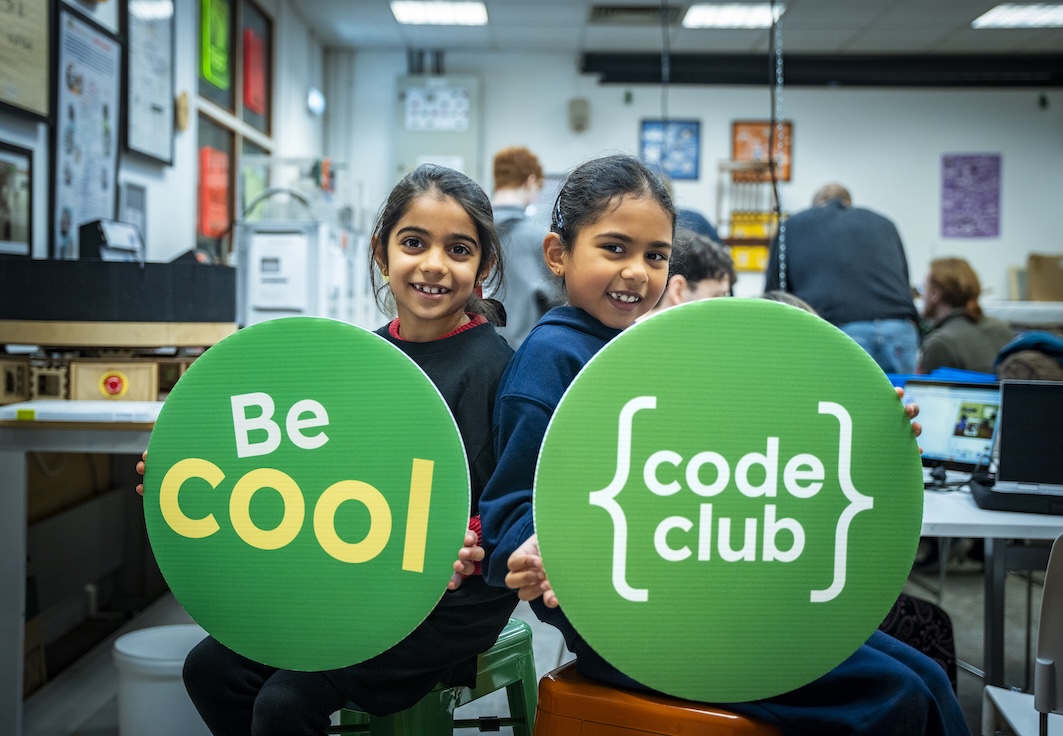
Two girls holding large green signs that read 'Be Cool' and 'code club', smiling at the camera in a creative workspace.

Code Club as a launchpad

From Scratch animations to Python adventures, from micro:bit inventions to AI explorations, 2025’s most popular projects show us that young people are keen to create, experiment, and express themselves.

As we look ahead to 2026, Code Club remains a launchpad for confident creators… and the best is yet to come!

Explore the rest of our projects and help creators spark their next big idea at Code Club.

Get ready to code: This is our Code Club!

We’re kicking off a new season of coding fun with three new ‘This is our Code Club’ projects for registered Code Clubs that are all about creativity and storytelling. Get ready to bring your club’s story to life through code!

Two young girls engaged in a coding activity, smiling and collaborating while working on laptops, with a colorful 'This is our Code Club' graphic in the background.

These three new exclusive projects are designed to help creators bring their Code Club’s story to life. The best part? When you share your finished projects with us, you’ll get a special sticker pack, including brand new glitter stickers! You have until Friday, 24 October to share your projects with us.

For registered Code Clubs, full details can be found in your inbox. Search for “This is our Code Club”. Not a Code Club? Register today to unlock access to these exclusive projects!

Let’s explore the projects and how you can use them in your Code Club.

Our flatgame | Scratch

Our flatgame is a one-of-a-kind project that mixes video games with poetry! These games are simple — creators can quickly make a full game and focus on their ideas instead of complicated game mechanics.

Young people start by creating their own physical assets — sketches, drawings, or even cut-outs of things they love about their Code Club. Next, they’ll use Scratch to build a simple scrolling game where a player moves around their amazing creations. It’s a fantastic way to turn your ideas and artwork into a playable game.

An illustration showing hands pointing at a digital tablet displaying a green circular shape, surrounded by colorful craft materials and the text 'This is our Code Club — Our flatgame'.

Tips to get started 

  • Creators can work together and share photos. One person could focus on the text and storytelling while another handles the visuals.
  • Break the project into multiple sessions. The first session could be all about discovery and idea generation, including writing stories, drawing, and taking photos. The second session would then be for building the game in Scratch.
  • You could take the photos and upload them as new sprites in a starter project for each group. Creators can then remix the project, duplicate the sprite with all the pictures, and choose the ones they want to use.

What creators will learn

This project is about creativity and self-expression. Creators will learn the workflow of video game design and asset creation, and get to use Scratch to add movement, text, and sound effects.

Our beat | micro:bit

Ready to get musical? Our beat is a hands-on digital music project where you’ll build and code your very own Code Club theme tune! Using the BBC micro:bit and the MakeCode editor, you’ll create melodies, bass lines, and drum loops.

You can start with our unplugged warm-up activity to explore rhythms and sequences without a screen, then use the MakeCode simulator to test out your tunes before bringing them to life on a real micro:bit.

Illustration promoting the 'This is our Code Club - Our podcast' project, featuring a character playing drums, with musical notes and a BBC micro:bit in the background.

Tips to get started

  • Use the MakeCode simulator first to get creators to test and refine their tunes. This is especially helpful if you don’t have enough micro:bits for everyone.
  • Encourage pair programming: one person can write the code while the other suggests melodies or tests the playback. Make sure they swap roles so everyone gets a chance to try both coding and creating music.
  • Begin with a simple melody on one micro:bit, then add more features like play and pause buttons. This progression is built into the project, but managing creators’ expectations will help them see their music evolve instead of trying to do everything at once.

What creators will learn

This project is a great introduction to programming concepts like sequences, loops, variables, and conditional statements. Creators will also explore how radio communication works between devices and learn real-world debugging and problem-solving skills.

Our podcast | AI

Let’s make your club podcast stars! Turn your unique stories into a show that celebrates everything that makes your Code Club special. Play the Scriptville example podcast to get everyone excited and to give them a feel for what they’ll be creating.

Illustration of two children recording a podcast in a colorful setting. One child wears headphones and sits at a computer, while the other raises a hand in excitement. A microphone and sound wave graphics complement the scene.

Tips to get started

  • Start by introducing the concept of podcasts and asking creators what they listen to or if they’ve ever made one.
  • This is a collaborative project. Everyone’s voice will contribute to the final podcast, so there’s no pressure on one person.
  • Encourage them to write about their experiences. Stories about things that have happened in the club make for great listening! They can use the writing prompts to help, and remind them to use only first names in the podcast.

What creators will learn

Creators will learn to work with artificial intelligence (AI) tools and see their potential in new and different ways. By creating and sharing their own podcast, they’ll bring their stories to life and experience the process of collaborative creation, where their individual contributions come together to form a shared outcome. They will work with plain text files, workflows, and organising files, and have experience with digital publishing.

For registered Code Clubs, full details can be found in your inbox. Search for “This is our Code Club”. Not a Code Club? Register today to unlock access to these exclusive projects!

Ready to start creating? Explore the ‘This is our Code Club’ projects and showcase your Code Club story for the rest of the world! We can’t wait to see your projects.