Get ready to code: This is our Code Club!

We’re kicking off a new season of coding fun with three new ‘This is our Code Club’ projects for registered Code Clubs that are all about creativity and storytelling. Get ready to bring your club’s story to life through code!

Two young girls engaged in a coding activity, smiling and collaborating while working on laptops, with a colorful 'This is our Code Club' graphic in the background.

These three new exclusive projects are designed to help creators bring their Code Club’s story to life. The best part? When you share your finished projects with us, you’ll get a special sticker pack, including brand new glitter stickers! You have until Friday, 24 October to share your projects with us.

For registered Code Clubs, full details can be found in your inbox. Search for “This is our Code Club”. Not a Code Club? Register today to unlock access to these exclusive projects!

Let’s explore the projects and how you can use them in your Code Club.

Our flatgame | Scratch

Our flatgame is a one-of-a-kind project that mixes video games with poetry! These games are simple — creators can quickly make a full game and focus on their ideas instead of complicated game mechanics.

Young people start by creating their own physical assets — sketches, drawings, or even cut-outs of things they love about their Code Club. Next, they’ll use Scratch to build a simple scrolling game where a player moves around their amazing creations. It’s a fantastic way to turn your ideas and artwork into a playable game.

An illustration showing hands pointing at a digital tablet displaying a green circular shape, surrounded by colorful craft materials and the text 'This is our Code Club — Our flatgame'.

Tips to get started 

  • Creators can work together and share photos. One person could focus on the text and storytelling while another handles the visuals.
  • Break the project into multiple sessions. The first session could be all about discovery and idea generation, including writing stories, drawing, and taking photos. The second session would then be for building the game in Scratch.
  • You could take the photos and upload them as new sprites in a starter project for each group. Creators can then remix the project, duplicate the sprite with all the pictures, and choose the ones they want to use.

What creators will learn

This project is about creativity and self-expression. Creators will learn the workflow of video game design and asset creation, and get to use Scratch to add movement, text, and sound effects.

Our beat | micro:bit

Ready to get musical? Our beat is a hands-on digital music project where you’ll build and code your very own Code Club theme tune! Using the BBC micro:bit and the MakeCode editor, you’ll create melodies, bass lines, and drum loops.

You can start with our unplugged warm-up activity to explore rhythms and sequences without a screen, then use the MakeCode simulator to test out your tunes before bringing them to life on a real micro:bit.

Illustration promoting the 'This is our Code Club - Our podcast' project, featuring a character playing drums, with musical notes and a BBC micro:bit in the background.

Tips to get started

  • Use the MakeCode simulator first to get creators to test and refine their tunes. This is especially helpful if you don’t have enough micro:bits for everyone.
  • Encourage pair programming: one person can write the code while the other suggests melodies or tests the playback. Make sure they swap roles so everyone gets a chance to try both coding and creating music.
  • Begin with a simple melody on one micro:bit, then add more features like play and pause buttons. This progression is built into the project, but managing creators’ expectations will help them see their music evolve instead of trying to do everything at once.

What creators will learn

This project is a great introduction to programming concepts like sequences, loops, variables, and conditional statements. Creators will also explore how radio communication works between devices and learn real-world debugging and problem-solving skills.

Our podcast | AI

Let’s make your club podcast stars! Turn your unique stories into a show that celebrates everything that makes your Code Club special. Play the Scriptville example podcast to get everyone excited and to give them a feel for what they’ll be creating.

Illustration of two children recording a podcast in a colorful setting. One child wears headphones and sits at a computer, while the other raises a hand in excitement. A microphone and sound wave graphics complement the scene.

Tips to get started

  • Start by introducing the concept of podcasts and asking creators what they listen to or if they’ve ever made one.
  • This is a collaborative project. Everyone’s voice will contribute to the final podcast, so there’s no pressure on one person.
  • Encourage them to write about their experiences. Stories about things that have happened in the club make for great listening! They can use the writing prompts to help, and remind them to use only first names in the podcast.

What creators will learn

Creators will learn to work with artificial intelligence (AI) tools and see their potential in new and different ways. By creating and sharing their own podcast, they’ll bring their stories to life and experience the process of collaborative creation, where their individual contributions come together to form a shared outcome. They will work with plain text files, workflows, and organising files, and have experience with digital publishing.

For registered Code Clubs, full details can be found in your inbox. Search for “This is our Code Club”. Not a Code Club? Register today to unlock access to these exclusive projects!

Ready to start creating? Explore the ‘This is our Code Club’ projects and showcase your Code Club story for the rest of the world! We can’t wait to see your projects.

What Dips Thompson, mentor of Cloudside Coders, learned during her first term at Code Club

Dips Thompson launched her Code Club, Cloudside Coders, at Cloudside Primary School in Nottingham, UK, in June 2025.

After completing her first term with creators aged between seven and eight, she’s sharing key lessons for new mentors.

A mentor points at a laptop screen displaying a Scratch programming interface while a young creator observes and engages during a Code Club session.

Kicking off club sessions

Our Code Club runs after school, and I’ve built a routine that helps everyone transition. Some of my amazing Code Club creators have jobs — they help get the iPads and login details ready and hand them out. It gives them a real sense of ownership over the club.

Once everyone’s settled, we spend a few minutes catching up, discussing their week and what they’re excited to create. I then introduce a collaborative project, showing the finished version before guiding them step-by-step. This often sparks their own ideas, encouraging variations later, which is a helpful approach for my young group.

Navigating logins

My biggest piece of advice for new Code Club mentors? Don’t get bogged down with logins, especially for younger creators. I learned this the hard way in my first session and saw creators struggle with keyboards and password complexities. 

We introduced Scratch logins in Week 3, and by Week 6, most creators could confidently remember their passwords. It was a game-changer!

Introducing Code Club projects

In our first session, I showed the Code Club project site, explaining the layout and how to use it. For my young creators, having two tabs open and following instructions independently felt a little overwhelming for them. We now follow the Scratch pathway together. I choose a project, and most creators follow my step-by-step guidance on their own devices. 

My goal is to gradually build their confidence and skills until they can tackle projects independently.

An informative webpage showcasing the Code Club, featuring sections on Scratch, Python, and Artificial Intelligence project paths. Each section includes a brief description of the coding project options available.

Adapting when things don’t go to plan 

Things rarely go exactly as planned in Code Club, and that’s totally normal. If I notice too many creators stuck on the same piece of code, struggling with logins, or if a lack of digital literacy skills is holding us back, I know it’s time to adapt.

I often split creators into groups to address common problems more efficiently. If a significant number of students can’t access a project due to digital literacy gaps, we’ll pause for a quick skills session, and maybe practice mouse control, typing, or navigation. I also encourage a “brain, book, buddy, boss” system. This empowers them to first think, check resources, ask a peer, and only then come to me. This approach builds their independence.

Giving creators ownership

To give creators more ownership, I encourage them to customise sprites and backgrounds. For our “Catch the Bus” project, for example, we kept the core code, but they were free to choose their own characters and settings. This led to awesome variations like “Catch the Hippo” or “Catch the Train,” which truly ignited their creativity. I’m hoping that as they get more confident, they’ll choose their own projects and pathways entirely. 

A playful cartoon cat running alongside a bright red double-decker bus on a sunny street, with green grass and clouds in the background.

Tips and resources that made running my Code Club easier

I’ve found a few key tips and resources helpful when launching my Code Club. 

Practical tips

  • Device checks: To ensure iPads are fully charged for Code Club sessions, we have a dedicated tech monitor who checks them on Code Club day. This has been super helpful.
  • Scratch Classroom: I use Scratch Classroom with anonymised accounts to easily generate usernames and passwords. This allows young people to log in quickly and save their work without frustration.
  • Peer support: I strategically group more confident programmers with less confident ones. This buddy system effectively handles many common questions.
  • Testing projects: Before I introduce any new project, I build it myself first. This helps me anticipate questions and spot any misconceptions creators might encounter.

Essential resources 

The Code Club website offers fantastic resources that were invaluable when I was starting out:

  • Code Club project site: A treasure trove of coding projects
  • Leader guide and session checklist: Essential for planning and running sessions
  • Code Club online course: Super useful for getting tips and ideas
  • Code Club Login letters/account permission: A lifesaver for getting parental consent
  • Progress Maps: A great way for creators to track the projects they’ve completed
Colorful introduction posters for different coding projects including Scratch, Python, micro:bit, and web development, displayed on a green background with playful icons.

Our Code Club is still in its early stages, but I have high hopes for it. I’m excited to dive back in come September and explore more Code Club resources, such as the one-page projects, and possibly even get creators involved in the Astro Pi Mission Zero and Coolest Projects.

Inspired by Cloudside Coders? Join the movement, and start a Code Club in your community! 

Mentor voices: Bootham School Code Club’s success story, with mentor Tom Lund

Ever wondered what makes a Code Club successful and inspiring? We spoke with Tom Lund, a mentor from Bootham School Code Club in York, to learn about their journey and what makes their club thrive.

A smiling mentor from Bootham School Code Club in York, wearing a Code Club t-shirt, is featured against a green background with the text 'Mentor voices'.

How did you get started with Code Club?

For two years, I’ve had the privilege of being a mentor and trustee at my local coding club. The atmosphere there is infectious; the passion the creators bring to each session is amazing. The leader encouraged me to set up a Code Club in the school where I teach, which I did! Since then, I’ve seen so many different creators learn by making, allowing them to celebrate their impressive achievements.

What does a typical Code Club session look like at Bootham School?

My Code Club runs weekly, every Monday and Friday during term time, and we tackle a variety of projects. As the mentor, I set a weekly theme, which could be something I’ve prepared or an idea suggested by the creators themselves.

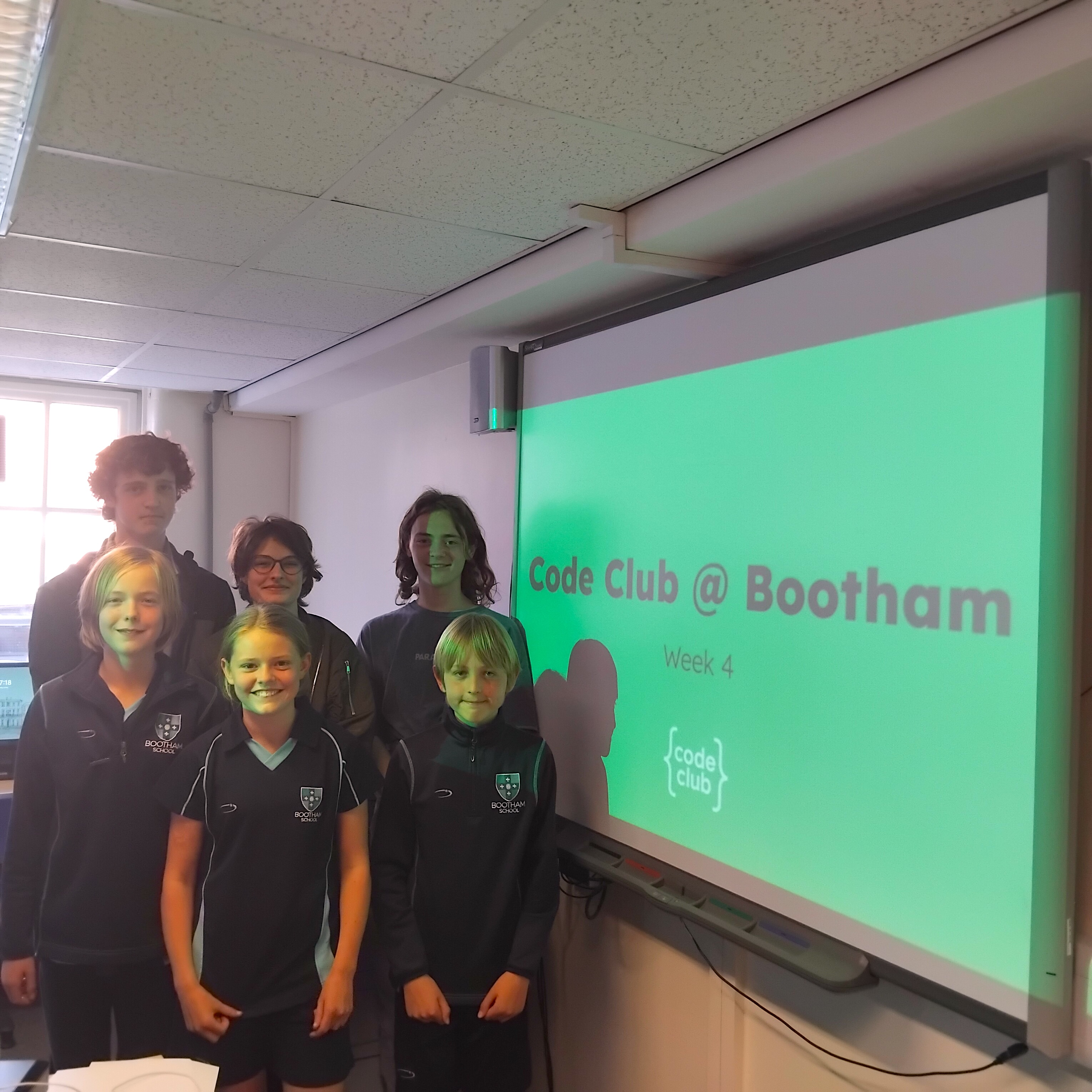
A group of six children and a mentor posing together in front of a projector screen displaying 'Code Club @ Bootham Week 4' in a classroom setting.

Depending on the project ideas I develop, there might be templates, instructions, or starter code. Sometimes, my themes align perfectly with Code Club projects, and sometimes we will use other projects. I always make sure creators know that if they don’t want to participate in the week’s theme, they’re free to work on any project they choose, allowing their curiosity and creativity to flourish.

During each session, I provide guidance as needed but strongly encourage problem-solving by the creators themselves or their peers. I also fully embrace the motto: “If you make it, then you can play it.” 

In the last 10 minutes of each session — each one runs for an hour — we celebrate each other’s achievements, and creators can show off their projects if they wish. I also hand out certificates from the Code Club resources page, and we applaud our creators. Finally, I ask them if they have any particular themes they’d like to explore the following week.

Two young participants of Code Club at Bootham School, holding a micro:bit project and a completion certificate, with a presentation screen in the background displaying 'Code Club @ Bootham Week 4'.

What makes your club thrive?

Our Code Club fosters a very relaxed environment where creators can explore whatever they wish, however they wish. This could mean following a tutorial, a Code Club project path, or even starting from scratch with their ideas.

Sometimes, if I feel a certain programming language, like Scratch, is being overused, and creators need a nudge to try something new, I’ll suggest we take a break from it for a bit. This encourages them to discover new technologies they might love, removing any fear or anxiety around trying different tools and keeping them curious and invested.

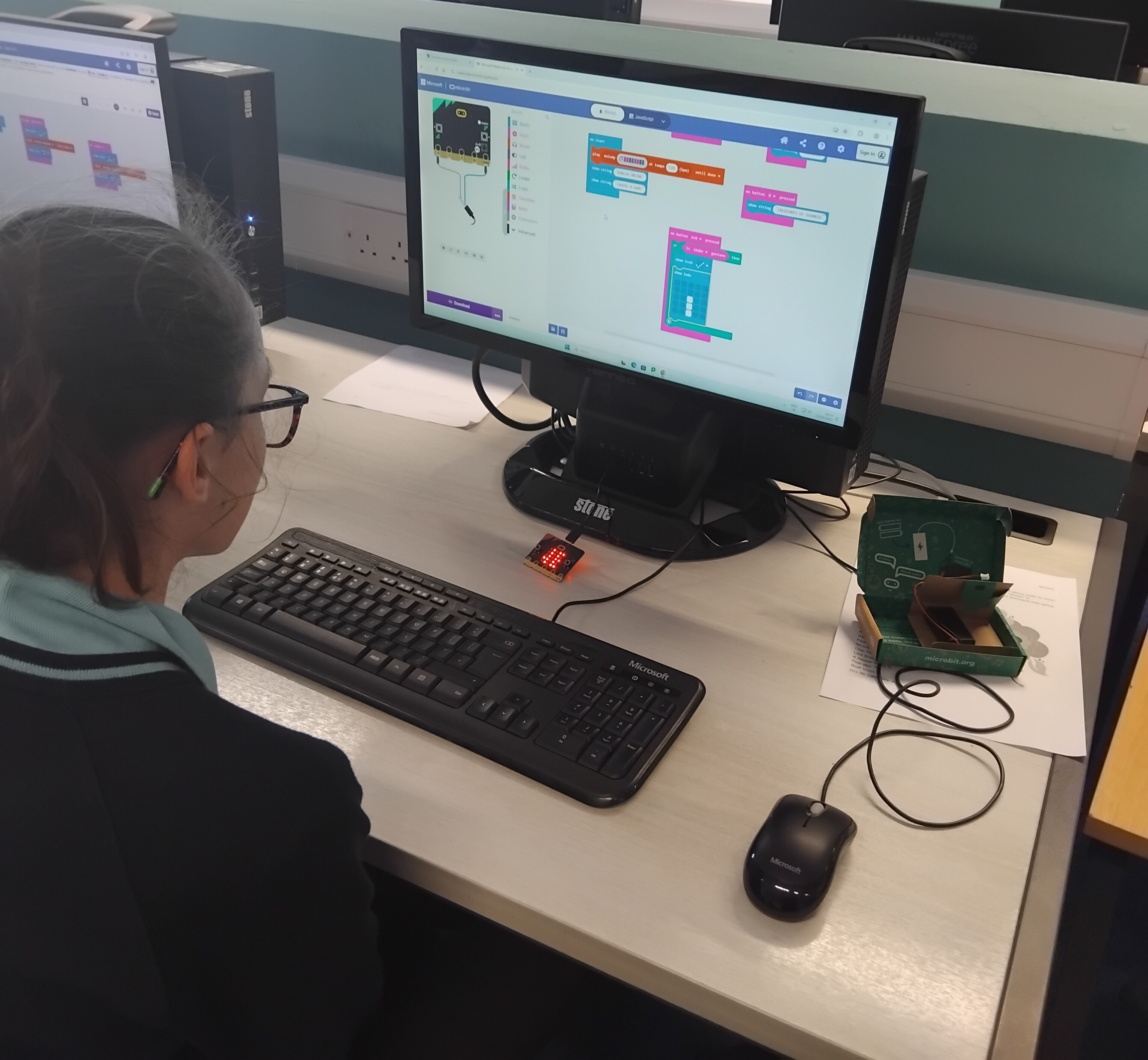
A student working on a coding project at a computer, using a programming interface with colorful blocks on the screen.

Because my Code Club is within a school and operates as an extracurricular activity, it’s built into students’ timetables. They pick an activity each term and stick with it. This has helped maintain continuity in creator skills and has even fostered young mentors who guide new students transitioning into Code Club.

Describe your club in three words

This is a tough one, but my three words would be: creative, ambitious, encouraging.

What advice would you give to someone starting a Code Club?

My biggest piece of advice is to use the resources that are available. The Code Club website has so many helpful tips, documents, and project ideas to get you started. You can also look for other nearby clubs and see if you can speak to their leaders or champions for advice. It’s always best to try, because if you don’t, you’ll never know what could be!

If Tom has inspired you to set up a Code Club in your community, explore our ‘Run a club’ page to learn how to get started.