Tips for vibrant Code Club sessions!

At a recent Code Club ‘Coffee and Conversation’ meetup, we had a thoughtful discussion on ways to keep Code Club sessions fun and engaging for everyone. Here are some tips we discussed to help fuel enthusiasm.

A group of children in the classroom smiling.

Choose a variety of projects

Our range of fun coding projects involve different programming languages and cater for different interests and experience levels. Think about introducing projects that encompass different aspects of coding, such as game development, web design, or app creation. This variety allows learners to explore different areas of coding and discover what excites them the most.

Bob Bilsland, from Malvern, in Worcestershire, England, has been running a Code Club for over 10 years. He shares how he works with our projects to keep activities fresh and keep learners engaged:

“The Code Club projects are a fantastic resource that helps bring structure to my club. Having different paths allows me to plan where to go next with the children — maybe Scratch this term and micro:bits the next. While each project has a clear progression towards a goal, it isn’t at the expense of the child’s creativity; I encourage them to personalise their work to make it their own”.

Bob Bilsland, Educator

Foster a supportive community

At Code Club, we’re all about creating a welcoming and supportive atmosphere where young people feel at ease sharing their ideas, asking questions, and getting the help they need. 

When you start a new term at Code Club, why not chat with everyone about how you all want your Code Club to run? Check out our blog post ‘Our Code Club rules! How to have fun and set boundaries’ for some tips. Once you have decided on your rules, write them down using the ‘Our Code Club rules’ template, available on your dashboard

‘Our Code Club rules’ template

See how you can encourage peer collaboration and mentorship, where more experienced coders can assist their fellow club members and share their knowledge. You could also look at introducing Digital Leaders within your Code Club.

We know that many clubs bring more fun and enthusiasm into their sessions by using KAHOOT! quizzes or running icebreaker activities. You could lead these activities or you could encourage groups of young people to work together to run them. 

Building a strong sense of community not only makes learning more fun, but also builds confidence and resilience in young people as they navigate any potential coding challenges.

Darren Bayliss, Code Club Community Coordinator for Ireland, shares how he does this in his Code Club sessions:

“I support my older Code Club members in taking on more responsibilities to develop their skills. I encourage them to support our younger members with their coding projects; this helps them reinforce their understanding of coding concepts and develop their leadership and mentoring skills, while also gaining confidence to push their coding endeavours further.”

Darren Bayliss, Code Club Community Coordinator, Ireland

Promote creativity

While we encourage you to have some structure to your sessions, allowing plenty of space for creativity can significantly enhance the fun factor and increase engagement in your Code Club. Encourage learners to personalise their projects, add unique features, and explore their creativity. This makes coding more enjoyable and promotes innovation and problem-solving skills.

Children huddled around computers working on Scratch projects.
Getting creative with Scratch

Introduce hands-on activities

Consider incorporating hands-on activities into your Code Club sessions. 

Experiment with interactive coding platforms, physical computing devices like micro:bits or robots, and collaborative projects that require students to work together. 

Hands-on activities can make learning more fun and deepen learners’ understanding of coding concepts.

Celebrate success 

Recognising success and effort is super important for making our learning spaces feel safe. It helps build a positive atmosphere where young coders can feel good about what they’re doing and not worry too much about making mistakes. Mistakes are just part of learning, after all!

On your dashboard, you will find lots of certificates that you can use to celebrate your learners’ achievements. Take a look and see which ones you can hand out at your next Code Club session.

Our ‘Awesome!’ certificates

Invite guest speakers

Inviting guest speakers from the tech industry or local coding communities could bring some added excitement and inspiration to your Code Club. Guest speakers can share their experiences, demonstrate real-world applications of coding, and offer valuable insights into different career paths in technology. Exposure to industry professionals can fuel learners’ passion for coding and provide them with valuable role models.

In 2023, a Code Club in Cambridgeshire, England welcomed Gary Foote, CIO at MoneyGram Haas F1 Team, to one of their club sessions. Find out how it went!

Grow your inspiration

It’s important to make sure you keep yourself engaged too! Connect with the Code Club community by joining us at our monthly online ‘Coffee and Conversation’ sessions. There’s no agenda, just a welcoming space where you can come and ask your questions, hang out with other educators, and share what is happening in your Code Club. See our events page for details of our next meetup. 

You could also have fun trying the projects yourself. Educator Bob Bilsland thoroughly recommends this! 

“As I always tell people, go and play with the projects yourself. They aren’t just for children and you could surprise yourself with what you learn.”

Bob Bilsland, Educator

Two people engaging in a conversation.
Join the Code Club team at an event

If you are looking to build your confidence and skills to help you support your learners, sign up for one of our online workshops. We have lots of sessions for you to choose from each month, and we’d love to see you there!

How do you keep your Code Club a fun and engaging space? Share your tips with the community on X using the hashtag #MyCodeClub

Discover ‘Don’t collide!’ – A great starter project for Python and Coolest Projects

Does Raspberry Pi Foundation Learning Manager, Mac, have a favourite Code Club project? Yes, he does! He shares insights into an exciting Python game that promises both fun and learning. He also explains why it’s an excellent choice of project to enter into the 2024 Coolest Projects online showcase!

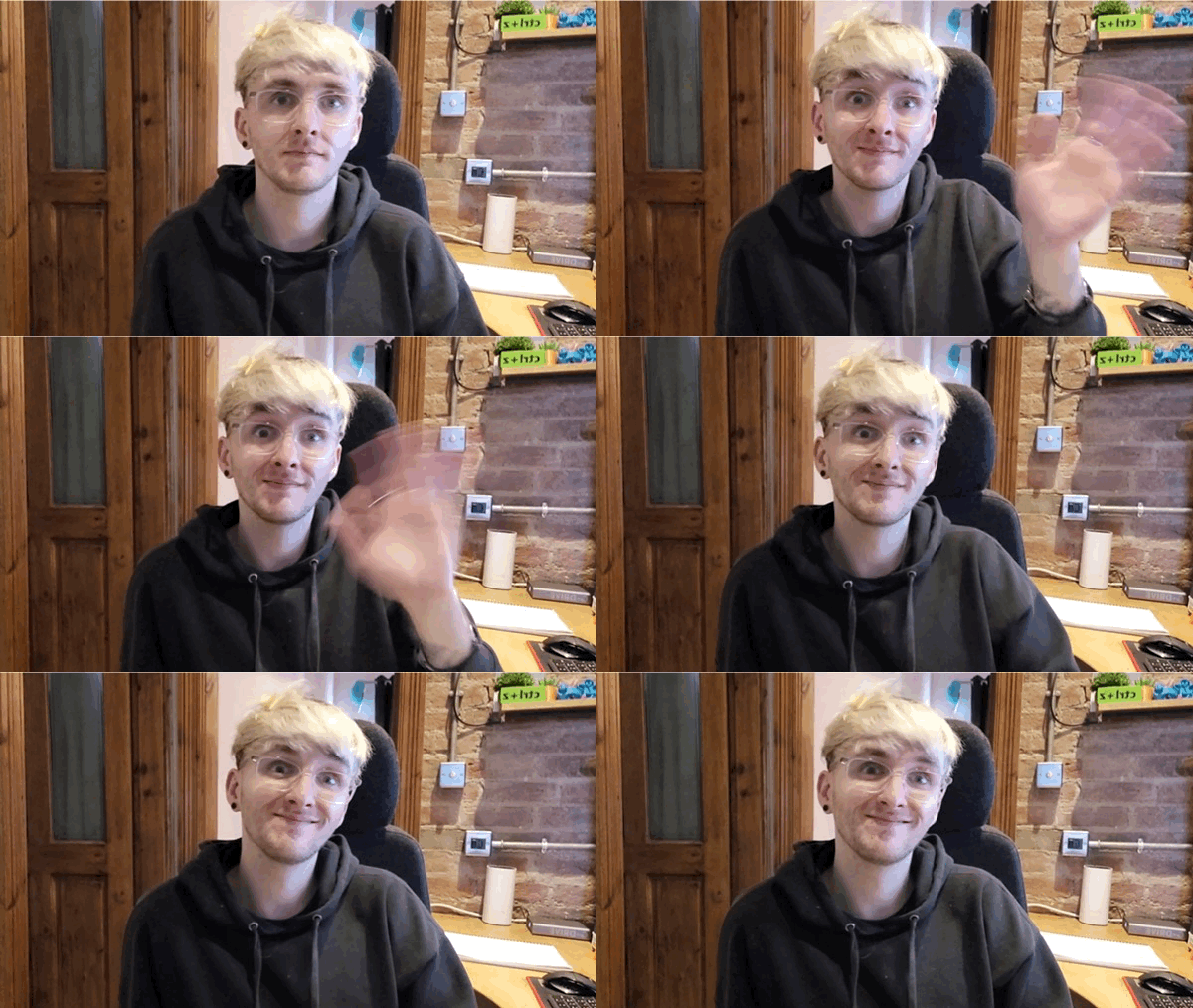
Mac is sat down and waving to the screen.
Say hello to Mac!

Hi Mac! You’ve worked on a lot of the Foundation’s projects. Can you share one of your favourites with us? 

That’s a tricky question! There are so many to choose from, but if I have to narrow it down to one project, I like our Python ‘Don’t collide!’ game. This project is in our Introduction to Python: Variables, functions, and loops path and it serves as an excellent introduction to the Design projects of 3…2…1…Make!. 

Why did you pick this project? 

This project helps young people learn to draw things in Python. They also have fun with images and emojis as game characters. I also really like that they learn to understand and use loops, if statements, and handle collisions between characters and obstacles. These are all essential building blocks of game creation when using the text-based programming language Python. 

Do you have any tips for introducing this project into a Code Club session?   

First off, run the game examples provided in the project to ignite children’s excitement about creating their games. 

Next, encourage young people to make their own design choices and put their own unique personalities and creative styles into their games — the exciting result is that each project will be unique. 

My last tip is to encourage thorough testing and debugging at each step to make sure it’s running as they expected it to. One mistake at the start is harder to spot and fix if you only test it at the end!

Graphic of a girl with rollerskates on.
Don’t collide!

What are the development/remix opportunities?  

There are so many options! The project is a great starter game, and learners can make it their own by matching it to a theme from their lives. Once they’ve picked their theme, they can then choose a character, backdrop, and obstacles to match that theme. 

Once the game is working, they can upgrade it by adding levels, or a high score table, or maybe extra types of obstacles. There are so many ways to make this project your own.

How can young people use the ‘Don’t collide!’ project to enter Coolest Projects? 

It fits perfectly into the Games category of Coolest Projects, and with enough improvements, it might even be fit for the Advanced programming category.

Thanks, Mac!

Registration is open for Coolest Projects.
Take part in Coolest Projects online!

Don’t collide!’ encourages your club members to build their Python programming skills. Why not showcase this achievement and celebrate their work by submitting it to the Coolest Projects showcase?

Young people have until 22 May to submit their creations. If you need further support, check out the resources for mentors webpage. Make sure you share your progress on X using the hashtag #CoolestProjects.

Code Club and International Mother Language Day: Embracing diversity

Depending on our culture, beliefs, and interests, February can mean different things for each of us — Lunar New Year, Valentine’s Day, World Nutella Day… the list goes on. On 21 February, there is a day related to everyone: International Mother Language Day.

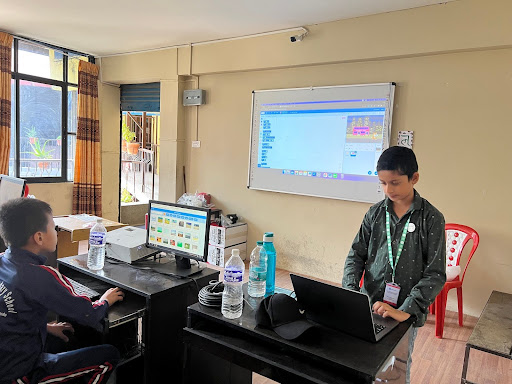
A room with a two boys looking at computer screens.
Young coders in Nepal

Celebrating linguistic diversity

International Mother Language Day celebrates the diversity of languages and cultural identities across the world. At Code Club, we also share a common vision: to give children the opportunity to learn to code, no matter who they are or where they come from.

Did you know?

  1. There are more than 7000 known languages in the world
  2. English is the most widely spoken language globally (approximately 1.45 billion people)
  3. The most widely spoken first language is Mandarin (Standard Chinese) (approximately 940 million people)

I’m Lewis, the Code Club Global Partnerships Manager. Although I’ve primarily lived, learned, and worked in a monolingual environment, where English is the most widely spoken language, I learned a lot about linguistic diversity when I spent time in India. When visiting ancient monuments just outside of Chennai with a friend from New Delhi, I asked if he could translate what our guide was describing, however, my friend shrugged his shoulders and said, “I would love to, but we speak two different languages.” I was fascinated to learn that India has 22 official languages from a total of 121, and 270 ‘mother tongues’.

A man standing in front of the Mahabalipuram
Lewis in Mahabalipuram, India

A global clubs community

At the Raspberry Pi Foundation, we have 52 Global Clubs Partners in 41 countries, each with their own networks of clubs involving thousands of young people and volunteers communicating in lots of languages. We recognise the importance of giving young people opportunities to learn in their first language and so we translate as many of our coding resources as we can.

We are committed to creating inclusive learning experiences for young people, and this commitment is shared by all our partners, who actively work to ensure that everyone feels welcomed and valued. Kaye North, Community and Engagement Manager at Code Club Australia, shares how they celebrate cultural and linguistic diversity through coding projects:

“Australia is a multicultural country that respects and values the diversity of its people. Our First Nations communities are recognised as the oldest living culture in the world and today speak a total of 120 different dialects, and of the 26 million strong population, over 270 different ancestries are recognised… Our co-developed projects, such as Tagai Constellation, support communities to share their mother language with a wider community, and also provide a framework for how each individual community can share their language through code.”

Kaye North, Community and Engagement Manager at Code Club Australia

Digital Future Aotearoa (DFA), a long-standing partner in New Zealand, has been working alongside Ōtautahi kura (kura are state schools where the teaching is in te reo Māori and is based on Māori culture and values) to introduce resources with a special focus on Matariki. Learn more about their latest work in this area:

“In kura this year there has been a strong commitment to learn more about Matariki and to celebrate, reflect, and grow knowledge. It has been amazing to support kura aspirations through DFA’s outreach mahi alongside Te Pā o Rākaihautū, Beckenham Te Kura o Pūroto, and Aidanfield Christian School.”

– Kate, Facilitator at Digital Future Aotearoa

How you can help

At the Raspberry Pi Foundation, we make our free online learning resources on the projects site available to everyone, everywhere, so more young people have the opportunity to explore coding and digital making, wherever they are in the world. Thanks to dedicated translation volunteers, we’ve published over 1700 project translations in more than 30 languages, making our online learning experiences more accessible to young learners worldwide.

“IT is everywhere and becomes more important every day. That’s why it’s good to have the opportunity to learn about it while you’re still young. And therefore, I support the Raspberry Pi Foundation by translating their courses into my mother language, which is Dutch. Because you really can’t expect a 9-year-old to fully understand something when it’s filled with foreign words. As a side effect, I’m learning a lot myself while doing this. So, I consider this a win-win situation.” 

– Jeroen Wernsen, Raspberry Pi Foundation volunteer translator

Being a volunteer translator is highly rewarding. It also helps you to develop lots of different skills and gain new knowledge around translation, localisation, and programming.

If you would like to find out more about translation at the Raspberry Pi Foundation or you would like to contribute to the translation of our learning materials, visit rpf.io/translate or contact us at translation@raspberrypi.org.