How to begin your Code Club session

Welcome to your Code Club session! The first few minutes of any session are a perfect chance to get everyone settled and ready for some fun. By using a few simple activities, you can create a great atmosphere where every club member feels comfortable and excited to start coding.

To ensure everything runs smoothly and safely, be sure to use a “session checklist” to plan what you need to do before, during, and after each session.

A graphic featuring the 'Code Club' logo and a layout of a leader guide, including sections on accessibility, contents, and a session checklist.

Activities for your first session

Some activities are best for your very first session. These are about setting up a great environment for the rest of your Code Club’s journey.

Work together to create a session routine

Setting up a positive and productive Code Club starts with involving your young creators in making the rules. This is a great icebreaker that gives them a sense of ownership. During this first session, spend about ten minutes asking the kids for their ideas on how the club should run. You can then use our “Club rules” template or let them get creative by drawing their own posters to display the rules. This helps create a fun, safe space where everyone can learn and thrive.
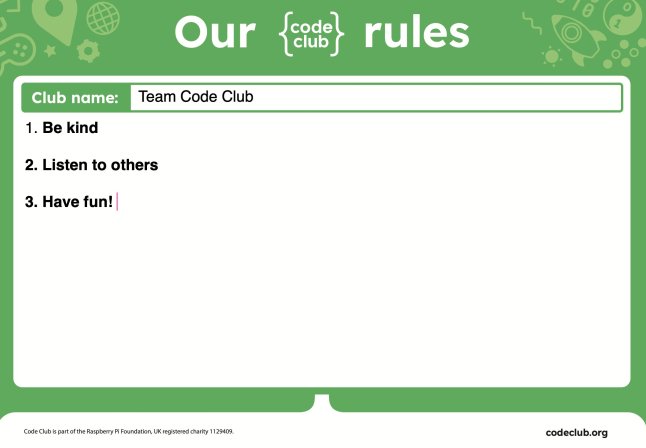
A poster displaying the rules of a Code Club session, highlighting kindness, listening to others, and having fun.

Discuss how to help each other

The best Code Clubs are built on a foundation of mutual support. At the start of a session, take a moment to set some ground rules on how to help each other. Talk about what to do when you get stuck. You can use the motto “Ask three, then me” to encourage young people to try to solve problems on their own before asking a mentor. Also, discuss how to give helpful feedback when testing each other’s projects. This creates a supportive and collaborative environment where everyone can do their best.

Activities for any session

These activities are great for kicking off any regular Code Club session, once you have your initial club rules and routine in place.

Use an icebreaker

An icebreaker is a quick, 15-minute activity. It’s a great way to start your Code Club session, helping everyone get to know each other and switch their focus from other activities. We suggest using an “unplugged” activity” — one that doesn’t require a computer — to help them transition.

A colorful infographic titled 'Introduce a teammate' for a Code Club icebreaker activity, outlining players, resources, and instructions for engaging participants.

Showcase a finished project

If your club is all working on the same project, a great way to start is by showing your creators the finished product they’ll be building. Our projects include a completed example just for this purpose, but you can also show one you made yourself. Seeing the final result gives creators a clear goal and can even spark ideas for how they can make the project their own.
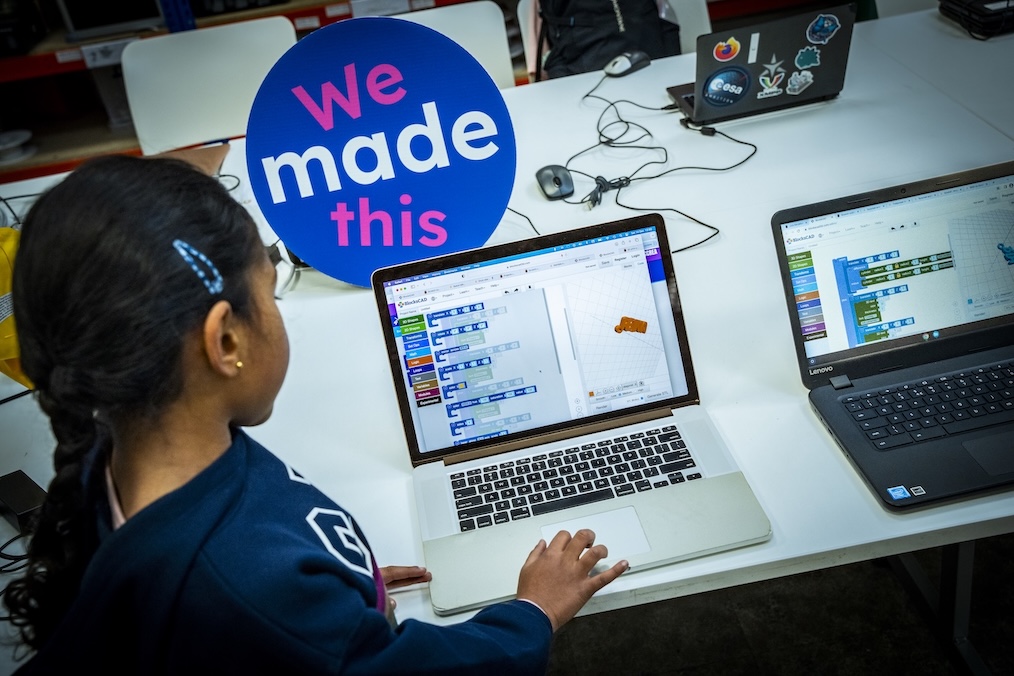
A child engages with a laptop displaying a coding program, while a sign reading 'We made this' is prominently featured in the background.

Demonstrate a tricky section of code

Before the session, look for a part of the project that might be tricky for your creators. Taking a few minutes to show them a new idea — like how to layer code blocks or use a specific function — can be very helpful. This type of short demonstration gives creators the confidence to work more independently.

Explore projects together

Before a session, think about the projects your club will work on. The Code Club projects page has been updated with a fresh, new look and is filled with projects on a variety of topics, like space, art, and games. You can explore these together with your club to find the perfect projects for your group.

Explore the Code Club Leaders’ guide for more tips and information on getting your sessions up and running smoothly. 

Mvelo Hive Trust: Building confidence in young coders through Code Club

Mvelo Hive Trust, a global Code Club Partner, is a non-profit organisation whose mission is to enable marginalised groups and communities in Zimbabwe to gain access to education, technology, and skills through activities like Code Club.

Three young girls engaged in a coding activity, focused on a laptop with Code Club stickers, in a classroom setting.

Ruhee Shah, Global Partnerships Coordinator at the Raspberry Pi Foundation spoke to Blessed Moyo, Co-founder and CEO of Mvelo Hive Trust about their work and how Code Club inspires confidence in young creators.

From inspiration to a network of Code Clubs

Inspired by Africa Code Week, a digital literacy programme set up in 2015 to empower young people across the continent with essential coding and digital skills, Mvelo Hive Trust wanted to provide regular digital skills training, by offering consistent sessions through a network of Code Clubs. Their experience at Africa Code Week highlighted a significant gap: students in low-income communities lacked consistent, hands-on exposure to programming and collaborative problem-solving. There was no local space for them to regularly explore coding, troubleshoot, and develop projects. They noticed that many young students, despite their enthusiasm for creating games with Scratch, had little access to even basic coding tutorials.

“We wanted to equip learners with resources and digital skills that went beyond just learning how to code using Scratch, we wanted to provide lifelong learning in STEM and inspire the next generation to take up skills in coding.”
– Blessed Moyo, Co-founder and CEO at Mvelo Hive Trust

An insight into Code Club sessions

Since setting up their first Code Club only a year ago, Mvelo Hive Trust now reaches an incredible 350 learners each week in 8 different schools. Each session hosts young people aged 9 to 12 and is usually attended by educators who teach computing and digital learning. Blessed says the atmosphere is always energetic and supportive, as they focus on peer mentoring. They typically draw on resources from the Raspberry Pi Foundation and Code Club projects websites. The projects they use vary, including the introduction to Scratch projects ‘Space talk’ and ‘I made you a book’. Some clubs have begun to use more advanced Scratch projects like ‘Broadcasting spells’ and ‘Don’t fall in’.

A group of young learners holding up Scratch coding certificates outdoors, smiling and celebrating their achievements.

Building confidence in young coders

Blessed believes creating a supportive environment helps young creators grow the confidence to continue building and experimenting. In their first session, creators begin with a simple, guided project like ‘Space talk’, which allows them to see their ideas come to life. By dragging their first blocks and creating a basic animation, students gain an immediate sense of accomplishment and self-belief.

“A student, Sthandekile Ncube from Baines Jr Code Club, arrived [to her first code club session] shy and hesitant. By the end of that hour, she’d animated a bouncing ball and helped a classmate debug their code. Weeks later, she volunteered to demonstrate her project to the entire club.”

Regular celebrations are also incredibly important in making sure young coders build their confidence. By giving out monthly certificates to recognise milestones, or ‘high-five’ walls to encourage peer-to-peer praise, the focus shifts from perfection to progress.

“At one celebration, Joelle Steblecki from Moray Code Club, received applause for her problem-solving champion certificate. Her beaming smile was contagious — she told us she finally felt ‘like I belong in tech’.”
– Blessed Moyo, Co-founder and CEO at Mvelo Hive Trust

A classroom setting with young students sitting in front of computers, engaged in coding activities using Scratch.

Beyond Code Club

For the young people leaving Code Clubs, Blessed hopes that they carry with them a curiosity for lifelong learning, a capacity for creative problem-solving, and the confidence to experiment and “fail forward”.
Joelle Steblecki and Elton Muyambo, both from the Moray Code Club in Bulawayo, have already shown this. They represented their school at a tech competition with over 10 primary schools in Bulawayo, where their AI project earned them fourth place. Their success, and that of other young creators, shows that Code Club is a great foundation for future innovators, helping them explore potential careers in STEM.

What’s next for Mvelo Hive Trust?

With support from the city’s Mayor, Mvelo Hive Trust is actively working to expand its reach by establishing Code Clubs in the 29 schools managed by the Bulawayo City Council. They are also approaching local telecommunications companies to secure corporate partnerships and local funding, aiming to implement the Code Club programme across more schools.

Want to run your own Code Club? Find out more on how to get started.

Get ready to code: This is our Code Club!

We’re kicking off a new season of coding fun with three new ‘This is our Code Club’ projects for registered Code Clubs that are all about creativity and storytelling. Get ready to bring your club’s story to life through code!

Two young girls engaged in a coding activity, smiling and collaborating while working on laptops, with a colorful 'This is our Code Club' graphic in the background.

These three new exclusive projects are designed to help creators bring their Code Club’s story to life. The best part? When you share your finished projects with us, you’ll get a special sticker pack, including brand new glitter stickers! You have until Friday, 24 October to share your projects with us.

For registered Code Clubs, full details can be found in your inbox. Search for “This is our Code Club”. Not a Code Club? Register today to unlock access to these exclusive projects!

Let’s explore the projects and how you can use them in your Code Club.

Our flatgame | Scratch

Our flatgame is a one-of-a-kind project that mixes video games with poetry! These games are simple — creators can quickly make a full game and focus on their ideas instead of complicated game mechanics.

Young people start by creating their own physical assets — sketches, drawings, or even cut-outs of things they love about their Code Club. Next, they’ll use Scratch to build a simple scrolling game where a player moves around their amazing creations. It’s a fantastic way to turn your ideas and artwork into a playable game.

An illustration showing hands pointing at a digital tablet displaying a green circular shape, surrounded by colorful craft materials and the text 'This is our Code Club — Our flatgame'.

Tips to get started 

  • Creators can work together and share photos. One person could focus on the text and storytelling while another handles the visuals.
  • Break the project into multiple sessions. The first session could be all about discovery and idea generation, including writing stories, drawing, and taking photos. The second session would then be for building the game in Scratch.
  • You could take the photos and upload them as new sprites in a starter project for each group. Creators can then remix the project, duplicate the sprite with all the pictures, and choose the ones they want to use.

What creators will learn

This project is about creativity and self-expression. Creators will learn the workflow of video game design and asset creation, and get to use Scratch to add movement, text, and sound effects.

Our beat | micro:bit

Ready to get musical? Our beat is a hands-on digital music project where you’ll build and code your very own Code Club theme tune! Using the BBC micro:bit and the MakeCode editor, you’ll create melodies, bass lines, and drum loops.

You can start with our unplugged warm-up activity to explore rhythms and sequences without a screen, then use the MakeCode simulator to test out your tunes before bringing them to life on a real micro:bit.

Illustration promoting the 'This is our Code Club - Our podcast' project, featuring a character playing drums, with musical notes and a BBC micro:bit in the background.

Tips to get started

  • Use the MakeCode simulator first to get creators to test and refine their tunes. This is especially helpful if you don’t have enough micro:bits for everyone.
  • Encourage pair programming: one person can write the code while the other suggests melodies or tests the playback. Make sure they swap roles so everyone gets a chance to try both coding and creating music.
  • Begin with a simple melody on one micro:bit, then add more features like play and pause buttons. This progression is built into the project, but managing creators’ expectations will help them see their music evolve instead of trying to do everything at once.

What creators will learn

This project is a great introduction to programming concepts like sequences, loops, variables, and conditional statements. Creators will also explore how radio communication works between devices and learn real-world debugging and problem-solving skills.

Our podcast | AI

Let’s make your club podcast stars! Turn your unique stories into a show that celebrates everything that makes your Code Club special. Play the Scriptville example podcast to get everyone excited and to give them a feel for what they’ll be creating.

Illustration of two children recording a podcast in a colorful setting. One child wears headphones and sits at a computer, while the other raises a hand in excitement. A microphone and sound wave graphics complement the scene.

Tips to get started

  • Start by introducing the concept of podcasts and asking creators what they listen to or if they’ve ever made one.
  • This is a collaborative project. Everyone’s voice will contribute to the final podcast, so there’s no pressure on one person.
  • Encourage them to write about their experiences. Stories about things that have happened in the club make for great listening! They can use the writing prompts to help, and remind them to use only first names in the podcast.

What creators will learn

Creators will learn to work with artificial intelligence (AI) tools and see their potential in new and different ways. By creating and sharing their own podcast, they’ll bring their stories to life and experience the process of collaborative creation, where their individual contributions come together to form a shared outcome. They will work with plain text files, workflows, and organising files, and have experience with digital publishing.

For registered Code Clubs, full details can be found in your inbox. Search for “This is our Code Club”. Not a Code Club? Register today to unlock access to these exclusive projects!

Ready to start creating? Explore the ‘This is our Code Club’ projects and showcase your Code Club story for the rest of the world! We can’t wait to see your projects.